How to Redeem Cast a Magnet Codes
Be ready the second an UPD drops a working string — UI patterns, checks, and troubleshooting.
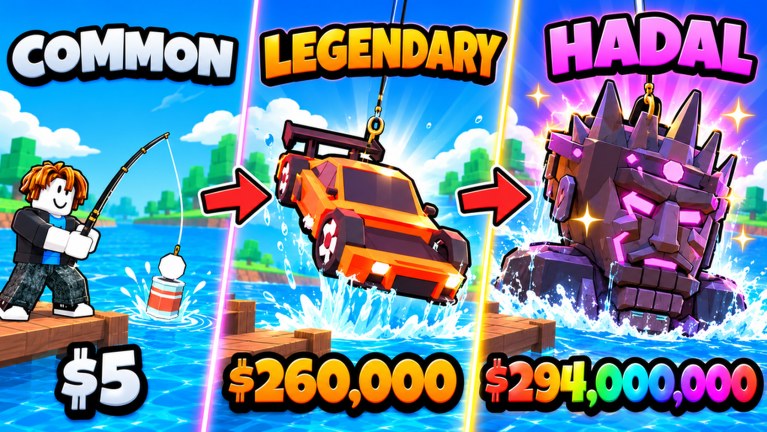
Cast a Magnet does not yet have a long public code history, but when Sweg Magnets ships a promo string you will want to redeem it in under a minute. This guide covers the typical Roblox simulator Codes / Shop UI pattern used by magnet-fishing incrementals, the exact hygiene that stops failed redeems, and what to do when the game says a code is invalid. Pair it with the live list on the Codes Hub and the day-one loop in getting started.
Before you type anything
- Play on the correct place. Open Cast a Magnet from the official listing (place ID
103265940798818). Private copies and fake lookalikes will not accept real codes. - Use the account that owns your progress. Codes are almost always bound per Roblox user. Redeeming on an alt wastes the gift.
- Finish the tutorial / first cast. Some experiences hide the Codes button until you cast once or open the main HUD. Complete a single cast-sell cycle if menus look empty.
- Copy the string from a trusted source. Prefer this wiki’s Active table or a developer / official community post. Avoid typed screenshots with ambiguous
0vsOand1vsl. - Know what you already own. If a code grants Luck Potions, plan a casting session first so you drink them while farming instead of letting timers burn AFK.
Step-by-step redemption flow
Exact button labels can shift after an UPD, but Cast a Magnet sits in the same design family as other Sweg-style simulators. Use this sequence:
1. Open the main HUD
After you spawn, look for a Shop, Rewards, Gift, or Codes icon along the left or bottom of the screen. On phones, open the hamburger / menu tray first — codes UI is often nested one level deeper on mobile.
2. Find the Codes tab
Inside Shop or Rewards, switch to a tab labeled Codes, Redeem, or Promo. If you only see Gamepasses and Cash packs, swipe or tap until the free redeem field appears. Some updates place Codes next to Daily Rewards and Bounties rather than inside Shop.
3. Paste the code exactly
Tap the text field, paste the string, and do not add spaces before or after. Keep original capitalization unless the wiki explicitly marks a code as case-insensitive. Hit Redeem, Claim, or Submit once — double-tapping can soft-lock the button on laggy servers.
4. Confirm the reward toast
A successful redeem usually shows a toast listing Cash, potions, or mutation vials. Open your inventory / potion bag immediately to verify the items landed. Temporary luck multipliers should also appear as a buff icon near your magnet stats.
5. Spend or store on purpose
- Cash → dump into the upgrade priority from the upgrades guide (early Real Power and Rope Length, then Luck).
- 2x / 4x Luck Potions → save for a deep-water session after you can already perfect-cast; see luck and potions.
- Mutation potions (Sandy, Charged, Phased, Gold, Rainbow, Diamond style vials) → activate when you plan to keep display-worthy pulls instead of auto-selling everything.
Genre UI patterns you should expect
Even before Cast a Magnet publishes a long code list, knowing genre conventions speeds you up:
- Single-field redeem with a green Claim button is the most common layout.
- Daily / playtime gifts sit beside Codes but are separate — joining the Roblox community for 3 free Luck Potions is a community gift, not a typed code.
- Merchant stock is not a code channel; buy potions and cosmetics there with Cash or event currency.
- Bounties and Index milestones grant rewards automatically when claimed — they will not accept promo strings.
- Server hops sometimes refresh a stuck Codes button after a patch; if the field is missing, rejoin once before assuming codes were removed.
Troubleshooting failed redeems
| Symptom | Likely cause | Fix | | — — | — — | — — | | “Invalid code” | Typo, expired string, or fake list | Re-copy from the Codes Hub; check Updates for expiry | | “Already redeemed” | Same account used the code | Normal — codes are one per user | | Button does nothing | UI lag or tutorial lock | Recast once, rejoin server, try desktop if on mobile | | Reward toast but empty bag | Inventory full / display queue | Sell junk, free a slot, recheck potions | | Codes tab missing | Wrong experience or outdated client | Verify place ID, update Roblox, rejoin |
If every public code suddenly fails for everyone, the developer likely rotated the list after an UPD. Check the updates hub before grinding Discord arguments.
Mobile vs desktop tips
On desktop, paste with Ctrl+V / Cmd+V and keep the chat box closed so Enter confirms redeem instead of sending chat. On mobile, long-press paste carefully — autocorrect loves to lowercase codes. Rotate to landscape if the Redeem button sits under the keyboard. Low-end devices benefit from closing other apps so the reward grant packet is not dropped.
Safety and scam checklist
Never enter a “code” on a third-party website that asks for your Roblox password. Legitimate Cast a Magnet codes are redeemed inside the experience only. Anyone offering “unlimited codes generators,” account checkers, or Discord DMs that demand payment for a private string is scamming you. This wiki will never ask for your password.
Scripts that auto-claim rewards still cannot invent missing promo codes. If you research automation later, read the scripts hub for feature context — but learn the manual redeem path first so you can verify rewards yourself.
After you redeem: progression checklist
- Confirm potions / Cash in inventory.
- Hit a few perfect casts so rope and power matter.
- Buy the next upgrade tier instead of sitting on raw Cash.
- Decide whether rare pulls go to the display base or the sell button.
- Return to the Codes Hub and refresh after the next 🚨UPD title change.
Master this flow once and every future Cast a Magnet code becomes free progression instead of a missed Discord screenshot.
Frequently Asked Questions
Quick answers for Cast a Magnet players.
Where is the Codes button in Cast a Magnet?
Check Shop, Rewards, Gift, or a dedicated Codes tab on the main HUD. On mobile, open the menu tray first. If nothing appears, finish one cast and rejoin the official place.
Do I need codes to progress?
No. Codes are bonus Cash or potions. The core loop — cast, perfect reel, sell, upgrade — works fully without promos. Community Luck Potions are the main free boost while the Active list is empty.
Why does my code say already redeemed?
Each Roblox account can usually redeem a promo string once. Switching servers will not grant a second copy. Alts are separate accounts with separate redeem state.
Are community Luck Potions redeemed like codes?
No. Join the official Roblox community linked from the game page, then claim the gift in-game. That offer is separate from typed promo codes listed on the Codes Hub.